

Your friend’s birthday is today, and a plain “happy birthday” text feels too small for the occasion. That is when I reach for a happy birthday GIF. A short, looping animation with balloons, cake, and confetti says more in three seconds than a paragraph ever could, and it always makes the birthday person smile.
A happy birthday GIF is a short animated image that loops forever, usually just a few seconds long. It might show candles flickering, balloons floating up, a cat in a party hat, or glittery words spelling out Happy Birthday. You send it the same way you send a photo, and it plays by itself in the chat.
In this guide I have rounded up 50+ of the best happy birthday GIF styles, from funny and cute to elegant and heartfelt. You will also find where to get them, how to send one on WhatsApp, text, Facebook, email, and Instagram, and how to make your own. If you want still images instead, my guide to happy birthday images has 50+ more to share, and my happy birthday wishes post has the words to go with them.
- What Makes a Great Happy Birthday GIF?
- Funny Happy Birthday GIFs:
- Cute Happy Birthday GIFs:
- Elegant Happy Birthday GIFs:
- Happy Birthday GIFs for Everyone You Know:
- Where to Find the Best Birthday GIFs:
- How to Send a Birthday GIF:
- How to Make Your Own Happy Birthday GIF:
- Happy Birthday GIF Mistakes to Avoid:
- Frequently Asked Questions:
- Conclusion:
What Makes a Great Happy Birthday GIF?
Not every birthday GIF is worth sending. The best ones share a few things, and once you know what to look for, you will spot a great one in seconds.
First, it loops cleanly. A good GIF ends where it began, so the animation feels endless instead of jumpy. Watch it play twice before you send it.
Second, it matches the person. A glittery pink GIF is perfect for your best friend and all wrong for your boss. A funny age joke lands great with your brother and badly with your grandma. Match the mood to the relationship.
Third, it is short and light. The sweet spot is a loop of 2 to 5 seconds and a small file size, so it loads fast even on a slow connection. Huge GIFs stall in chats and eat up data, so skip any file that takes more than a second to load. Short, bright, and on theme is the whole secret.
Finally, the words are easy to read. If the GIF has text, it should say Happy Birthday in big, clear letters. Fancy script you cannot read at phone size defeats the purpose. Bold and simple beats pretty and unreadable every time.
Funny Happy Birthday GIFs:
Funny is the most shared kind of birthday GIF, and for good reason. A laugh is the best gift you can send through a phone screen. Save these for friends, siblings, and anyone who loves a joke.
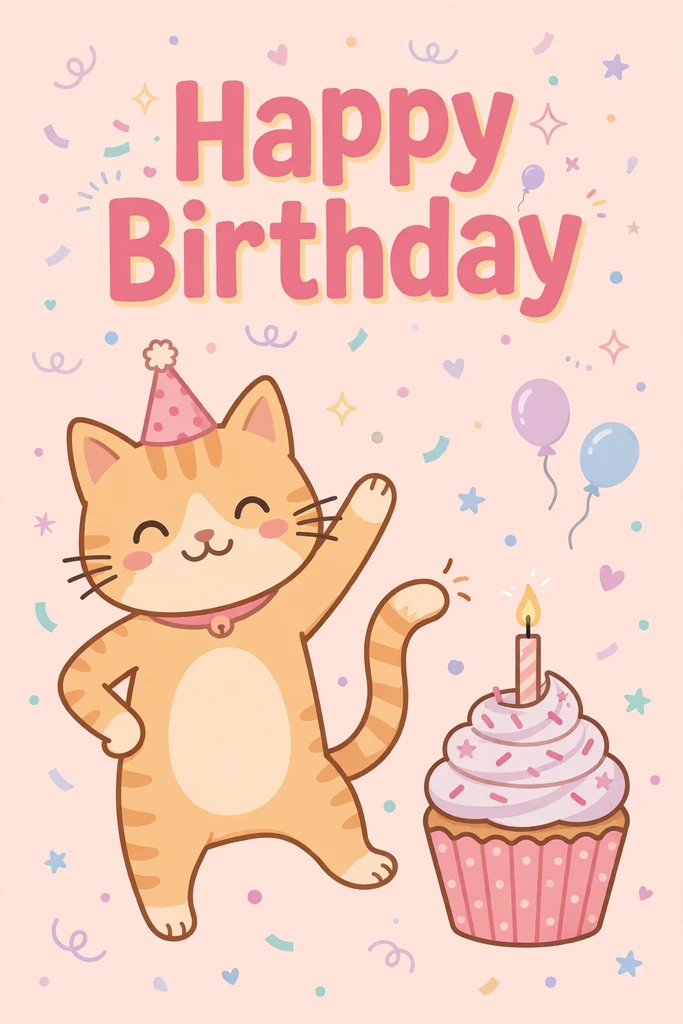
Dancing Animals:
A dancing cat, a wiggling puppy, or a penguin in a party hat never fails. Animal GIFs are the most searched funny birthday GIFs: cute, silly, and nobody has to get the joke. Look for one where the animal is dancing, not just sitting still. The movement is what makes people laugh.
Meme-Style Birthday GIFs:
Meme GIFs borrow a famous face or a viral moment and add a birthday twist. A celebrity raising a glass or a TV character blowing out candles works when the person will recognize the reference. Only send a meme GIF if you are sure they know the joke. A meme nobody gets is just a confusing picture.
Age Joke GIFs:
Age joke GIFs poke fun at getting older: a cake with too many candles or a fire extinguisher aimed at the birthday cake. They are perfect for a milestone birthday like 30, 40, or 50, and for friends who joke about age all year. Keep them gentle.
Cute Happy Birthday GIFs:
Cute GIFs are the safest choice for almost anyone: sweet, bright, and impossible to get wrong. Keep a few favorites saved for last-minute birthdays.
Kittens and Puppies:
A kitten in a party hat or a puppy with a balloon is the cutest birthday GIF you can send. These work for kids, friends, and anyone who loves animals. Look for one with a clear Happy Birthday message on it. The best ones pair the animal with falling confetti or a tiny cake.
Teddy Bears and Soft Toys:
A teddy bear holding a present, blowing out candles, or bouncing with balloons feels warm and nostalgic. Teddy GIFs are lovely for kids, for a partner, or for anyone who grew up with a favorite toy. They are a good pick when you want something sweet.
Pastel Balloons and Cake:
Soft pastel balloons floating up, a pink cake with candles, and gold confetti falling slowly is the classic cute birthday look. These GIFs feel gentle and pretty, and they suit moms, grandmas, sisters, and friends. They also look great as a Facebook post.
Elegant Happy Birthday GIFs:
Some birthdays call for something more grown-up. Elegant GIFs use gold, white, and soft candlelight instead of bright colors and jokes. Save these for milestone birthdays and anyone who loves a classic look.
Gold Glitter and Black:
Gold glitter letters spelling Happy Birthday over a black background, with gold balloons and falling confetti, is the most elegant birthday GIF style there is. It suits a 50th birthday, a formal celebration, or a glam-loving friend. The contrast makes the words pop.
Flowers in Motion:
Roses opening, petals drifting down, or a bouquet swaying gently all make a beautiful, calm birthday GIF. Flower GIFs are perfect for moms, grandmas, and friends who love gardens. Pair one with a short heartfelt message.
Candles and Cake:
A white cake with tall candles, flames flickering softly, is simple and timeless. Candle GIFs work for any age and any relationship because they focus on the birthday itself. Look for one where the flames move gently.
Happy Birthday GIFs for Everyone You Know:
The best birthday GIF is the one picked for the person, not just the occasion. Here is how I choose.
For Your Best Friend:
Go funny and personal. A dancing animal, an inside-joke meme, or a GIF that matches a memory you share beats any generic card. Your best friend is the one person you can send the silliest GIF to.
For Mom and Dad:
Go warm and heartfelt. Flowers in motion, a cake with candles, or a sweet message GIF tells them you are thinking of them. A funny GIF can work too if your parents love a laugh. Add a line of your own words after it.
For Your Partner:
Go romantic or playful. Heart balloons, a champagne toast, or a cute couple GIF all say “I love you.” If you are apart on their birthday, a GIF plus a voice note is a lovely combination.
For a Coworker:
Go clean and professional. A minimalist balloon GIF or a simple cake with candles is perfect for work. Skip the age jokes, the sarcasm, and anything with a drink in it. A short, warm message keeps it friendly and safe.
For Kids:
Go bright and fun. Cartoon characters, kittens in party hats, and colorful balloons all win with kids. Pick their favorite character or animal if you can. If you need card wording to go with it, my guide to baby birthday party cards has sweet messages for little ones too.
Where to Find the Best Birthday GIFs:
You do not need to save GIFs from random sites. These four libraries have the best collections, and they are free to use.
GIPHY:
GIPHY is the biggest GIF library on the internet, and it is built into WhatsApp, Facebook, Instagram, and most messaging apps. Search “happy birthday” for thousands of results, from classic balloons to the latest memes. You can download a GIF from the GIPHY site or send it from the app you are already using.
Tenor:
Tenor is Google’s GIF library, made for mobile sharing. Its loops are short and light, which makes them perfect for texting. Tenor powers the GIF search in many Android keyboards, so you can find and send a birthday GIF without leaving your chat. Search “happy birthday” plus “funny” or “cat” to find the right one fast.
Pinterest:
Pinterest is the best place to find beautiful birthday GIFs you will not see everywhere else. Search “happy birthday gif” and save your favorites to a board. Many Pinterest GIFs link back to the creator’s site. Follow our Pinterest profile for birthday ideas all year.
Canva:
Canva has animated birthday templates you can customize with a name, a photo, or your own colors, then download as a GIF. It is the best option for a personal touch, like a GIF with the birthday person’s name on it. The free plan covers plenty of birthday templates.
How to Send a Birthday GIF:
Finding the perfect birthday GIF is only half the job. Here is how to send it on every platform.
WhatsApp:
Open the chat, tap the emoji icon, then tap GIF at the bottom. Search “happy birthday,” pick your favorite, and tap to send. The animation plays right in the chat. To save a GIF from a website, long-press it, tap Save, then attach it in WhatsApp like a photo.
Text and iMessage:
On iPhone, open Messages, tap the plus button, then choose the GIF search in the app drawer. Search “happy birthday” and tap to send. On Android, open your keyboard, tap the GIF button, and search the same way. If you send a GIF as a file attachment instead of through the GIF search, some phones may show it as a still image.
Facebook:
On a friend’s timeline, click Comment, then click the GIF button and search “happy birthday.” Pick one and post it. For your own post, upload a saved GIF as a photo and it will play in the feed. In Messenger, tap the GIF button in any chat and search the same way.
Email:
Most email apps play GIFs right in the message, so a birthday GIF works beautifully in an email. Download the GIF, then insert it as an image, not as an attachment. Add a short message with it. Keep the file small, and pick a GIF whose first frame already says Happy Birthday, since a few older email apps show only the first frame.
Instagram:
In a DM, tap the sticker icon, then tap GIF and search “happy birthday.” For a Story, add a GIF sticker and place it over a photo. GIFs do not work as regular feed posts, so use Stories or DMs instead. A birthday Story with a GIF sticker and a tag is a lovely shout-out.
How to Make Your Own Happy Birthday GIF:
A homemade birthday GIF is the most personal one you can send, and it takes less time than you think. Here is how.
- Pick 3 to 5 photos or short clips of the birthday person, their favorite things, or a cake and balloons. Keep the clips under a second each.
- Open Canva or a free GIF maker app. Canva has birthday templates ready to go.
- Add “Happy Birthday” text in big, bold letters. Add the person’s name if you want it to feel extra special.
- Add confetti or sparkles. One or two animated stickers are plenty.
- Export as a GIF and test it. Send it to yourself first and watch it loop twice. If the loop is smooth and the text is readable, it is ready.
A homemade GIF takes about ten minutes, and it is the one the birthday person will remember.
Happy Birthday GIF Mistakes to Avoid:
A great birthday GIF can still go wrong if you pick the wrong one for the moment. Here are the mistakes I see most often.
- Sending a GIF with no words. If the GIF has no Happy Birthday text, the person may not know what it is for. Add a short message with it.
- Picking a GIF that is too big. A huge file stalls in chats and eats data. If it takes more than a second to load, find a smaller one.
- Using a joke GIF for the wrong person. Age jokes and sarcasm are for close friends only. For a boss, a grandma, or a new friend, go warm and simple.
- Sending the same GIF to everyone. A GIF picked for the person always lands better than a generic one.
- Forgetting to check the loop. A GIF that cuts off mid-word or jumps awkwardly looks broken. Watch it play twice before you send it.
What is a happy birthday GIF?
A happy birthday GIF is a short animated image, usually 2 to 5 seconds long, that loops forever. It might show balloons, candles, confetti, or a funny character. You send it like a photo, and it plays by itself.
Where can I find free happy birthday GIFs?
GIPHY and Tenor have the biggest free collections, and both are built into WhatsApp, Facebook, Instagram, and most keyboards. Pinterest is great for curated finds, and Canva lets you add a name or photo. All four are free for personal birthday wishes.
How do I send a birthday GIF on WhatsApp?
Open the chat, tap the emoji icon, then tap GIF at the bottom. Search “happy birthday,” pick your favorite, and tap to send. You can also save a GIF from a website by long-pressing it, then attach it in WhatsApp like a photo.
What is the difference between a birthday GIF and a birthday image?
A birthday image is a still picture, while a GIF moves in a short loop. GIFs feel more fun in chats, while still images look better printed or posted as a card. If you want still images, my guide to happy birthday images has 50+ to share.
Can I send a birthday GIF by email?
Yes. Most email apps play GIFs right in the message. Download the GIF, insert it as an image rather than an attachment, and add a short message. Keep the file small, and pick one whose first frame already says Happy Birthday.
Can I make my own birthday GIF?
Yes, and it takes about ten minutes. Pick 3 to 5 photos or short clips, open Canva or a free GIF maker app, add Happy Birthday text and a few confetti stickers, then export as a GIF. Send it to yourself first to check the loop.
Also Read: Happy Birthday Baby Girl and Boy
Conclusion:
A happy birthday GIF is a small thing that makes a big difference. Pick one that fits the person, send it with a few kind words, and you have made their day brighter. Save your favorites, and you will never be stuck for a wish again.

1 thought on “Happy Birthday GIF: 50+ Best to Share With Everyone (2026)”